Measure directly from your drawings.Turn quantities into estimates.
Stop measuring from printed drawings and retyping quantities into spreadsheets. Buildiante lets your team measure directly from project drawings and carry those quantities into the estimating workflow.
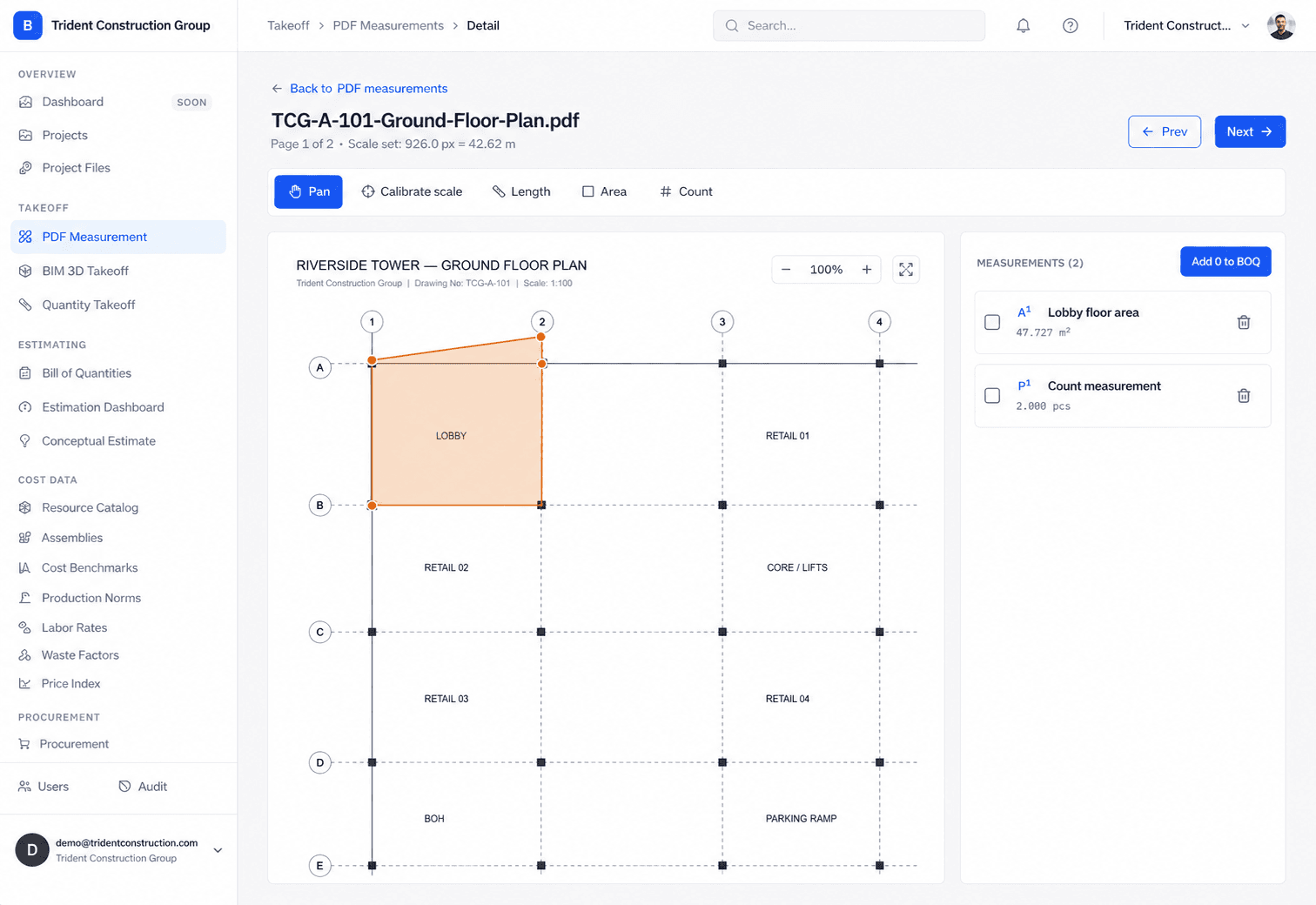
Measure on the drawing
Capture quantities where the work actually appears instead of maintaining a separate measurement sheet.
Keep quantities organized
Keep measurements tied to the project and the items they represent.
Carry them into estimating
Move measured quantities into your BOQ instead of retyping the same information.
Every manual handoff creates another opportunity for error.
Printed drawings, scale rulers, handwritten notes and spreadsheets create a chain of disconnected information before the estimate is even priced.
Your quantity becomes part of the project record.
Measurements stay connected to the drawing and can continue into the estimating workflow without another manual handoff.
From drawing to priced BOQ without the re-entry.
Quantity takeoff is the first step in the Buildiante project workflow — not a disconnected tool sitting beside your estimating process.
Open the drawing
Upload a PDF drawing or work from your project documents without leaving the platform.
Measure on screen
Capture areas, lengths, counts, and other quantities directly against the drawing.
Build your takeoff
Organize measurements into meaningful construction items and quantities.
Send it to estimating
Turn measured quantities into BOQ lines instead of manually re-entering them.
Everything your team needs to take off quantities.
Where Buildiante does some of the reading for you
Every one of these is reviewed by a person before it changes anything — that is a hard rule in the system, not a setting.
Read line items straight out of a BOQ PDF
When a client or consultant sends the BOQ as a PDF that has a real table in it, Buildiante reads that table directly — descriptions, quantities, units — and turns it into draft positions. That path is deterministic: it's read from the document, not a model. You review every row and confirm before anything enters your BOQ.
- Reads the PDF’s table layer directly — no model on that path.
- Every row is a draft you check line by line; nothing is inserted until you confirm.
- Rates come in blank — your numbers stay yours to set.
- For a messy PDF with no real table, an AI-assisted structuring pass fills in — still fully reviewed before insert.
Built for teams doing real construction estimating.
Estimators who currently print a PDF, measure it with a scale ruler (or a standalone takeoff tool with no link to the estimate), then re-type every number into the BOQ by hand.
Move away from disconnected takeoff workflows.
A printed drawing and a physical scale ruler, or a takeoff tool that has never heard of your BOQ — plus the manual re-typing step between "I measured it" and "it's a priced line item."
Takeoff feeds directly into the next step of the loop:
BOQ / Cost EstimationMeasure it once.Price it once.
Start with your drawings and finish with a quantity that is ready for estimating.