Send the same scope.Compare every bid.
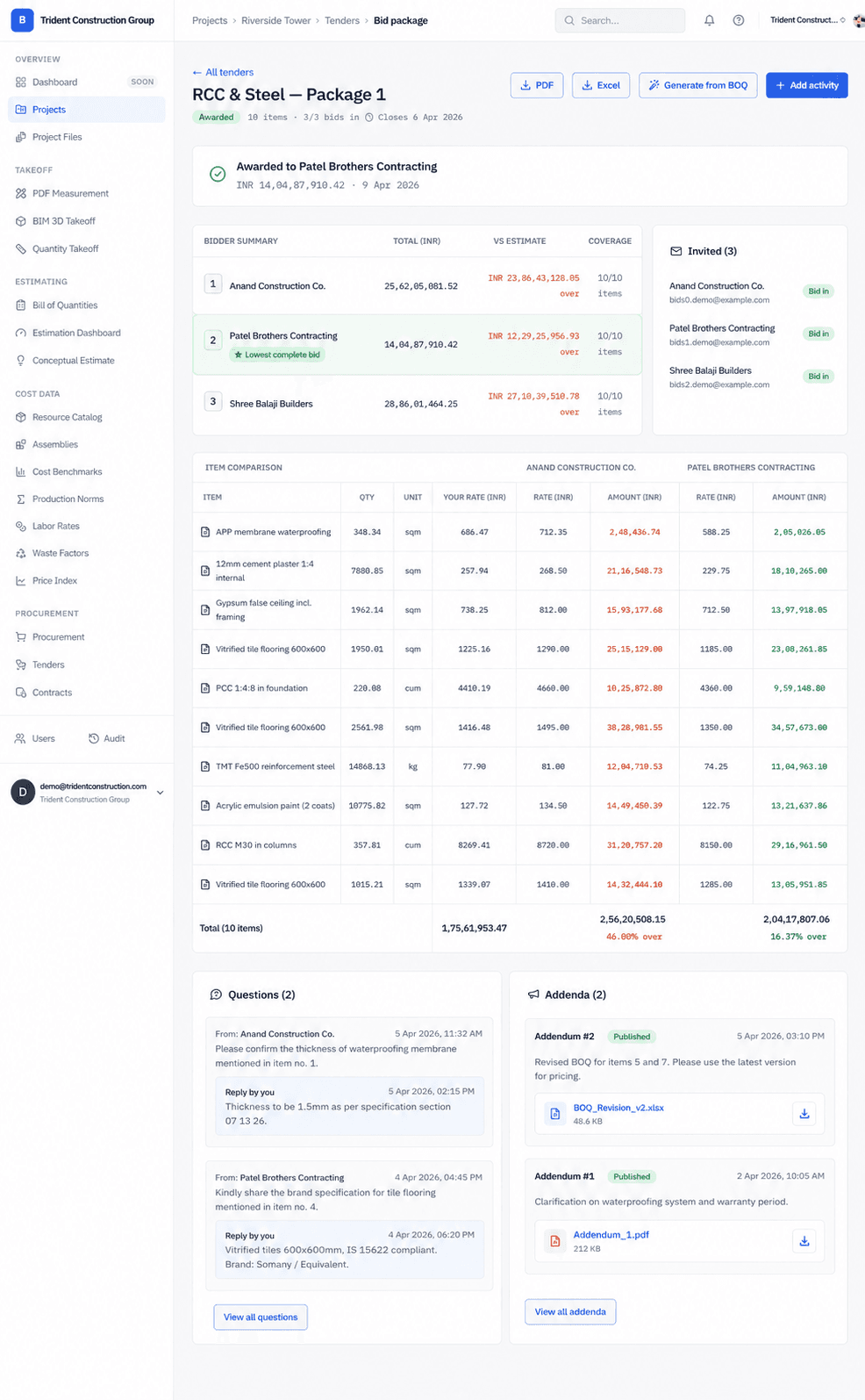
Buildiante turns selected BOQ positions into a structured subcontractor bid package, gives bidders a consistent scope to price, and brings responses together for comparison and award.
Same scope for every bidder
Start from selected BOQ positions so every subcontractor is pricing the same work.
Comparable responses
Bring submitted bids together instead of manually comparing differently formatted spreadsheets and documents.
Clear award decision
Keep the selected bidder and awarded amount connected to the project record.
The hardest part of tendering is often comparing what comes back.
When every subcontractor receives a different document and returns pricing in a different format, your team spends more time normalizing bids than evaluating them.
Turn your priced scope into a controlled tender.
The tender starts with the work you have already priced. Each invited subcontractor receives the same defined scope, making the responses easier to compare and the award easier to track.
From BOQ scope to subcontractor award.
Buildiante keeps the tender connected to the estimate so your team doesn't have to recreate the same scope every time work is sent out for pricing.
Select the scope
Start with the BOQ positions you actually want subcontractors to price instead of rebuilding the scope in another document.
Invite bidders
Send each subcontractor a scoped bid package through a controlled link with the same line items and requirements.
Compare responses
Bring submitted bids together so pricing can be compared against the same scope instead of reconciling different documents.
Award the work
Review the submissions, select the winning bid, and keep the award connected to the project record.
One scope. Multiple bids. One decision.
The value isn't simply collecting bids. It's making sure the bids you receive can actually be compared.
Tender comparison
3 bidsMechanical works · Same scope sent to all bidders
Lowest bid
$248,500
Scope match
100%
Summit Mechanical
WinnerInvited subcontractor
100%
Complete
$248,500
Submitted bid
Apex Contractors
Invited subcontractor
100%
Complete
$261,200
Submitted bid
Northstar Build Co.
Invited subcontractor
100%
Complete
$274,800
Submitted bid
Award decision recorded
Summit Mechanical · $248,500
Everything you need to run a controlled tender.
Where Buildiante does some of the reading for you
Every one of these is reviewed by a person before it changes anything — that is a hard rule in the system, not a setting.
Automatic flags on the bid comparison
When you compare bids, Buildiante flags the things worth a second look — a line one bidder didn’t price, a rate that sits well outside what everyone else quoted for the same line, a total that’s more than half away from your own estimate. Rule-based checks on the bids in front of you, not a model.
- Missing-line flags, per-line rate outliers (needs at least four bids to call one), and large deviation from your estimate.
- Every flag is a stated rule you can see the reason for — nothing hidden in a model.
- Runs on the bids you already have; no history required.
Built for teams managing subcontractor packages.
PMs and estimators who currently assemble a bid package by copying line items into a new document, email it to a handful of subcontractors, and then reconcile whatever comes back — PDFs, spreadsheets, phone quotes — into one comparison by hand.
Move away from email-driven tendering.
An email thread with attached spreadsheets per subcontractor, and a manually built comparison sheet that has to be rebuilt every time a bid comes in late or gets revised.
Tender feeds directly into the next step of the loop:
ProcurementStop reconciling email attachments.Start comparing bids.
Turn your existing BOQ into a structured tender and keep the award connected to the project.